Local AI Render Engine
A designer who wants an AI render of the view in front of them leaves the tool, exports, uploads, waits, downloads and re-imports.
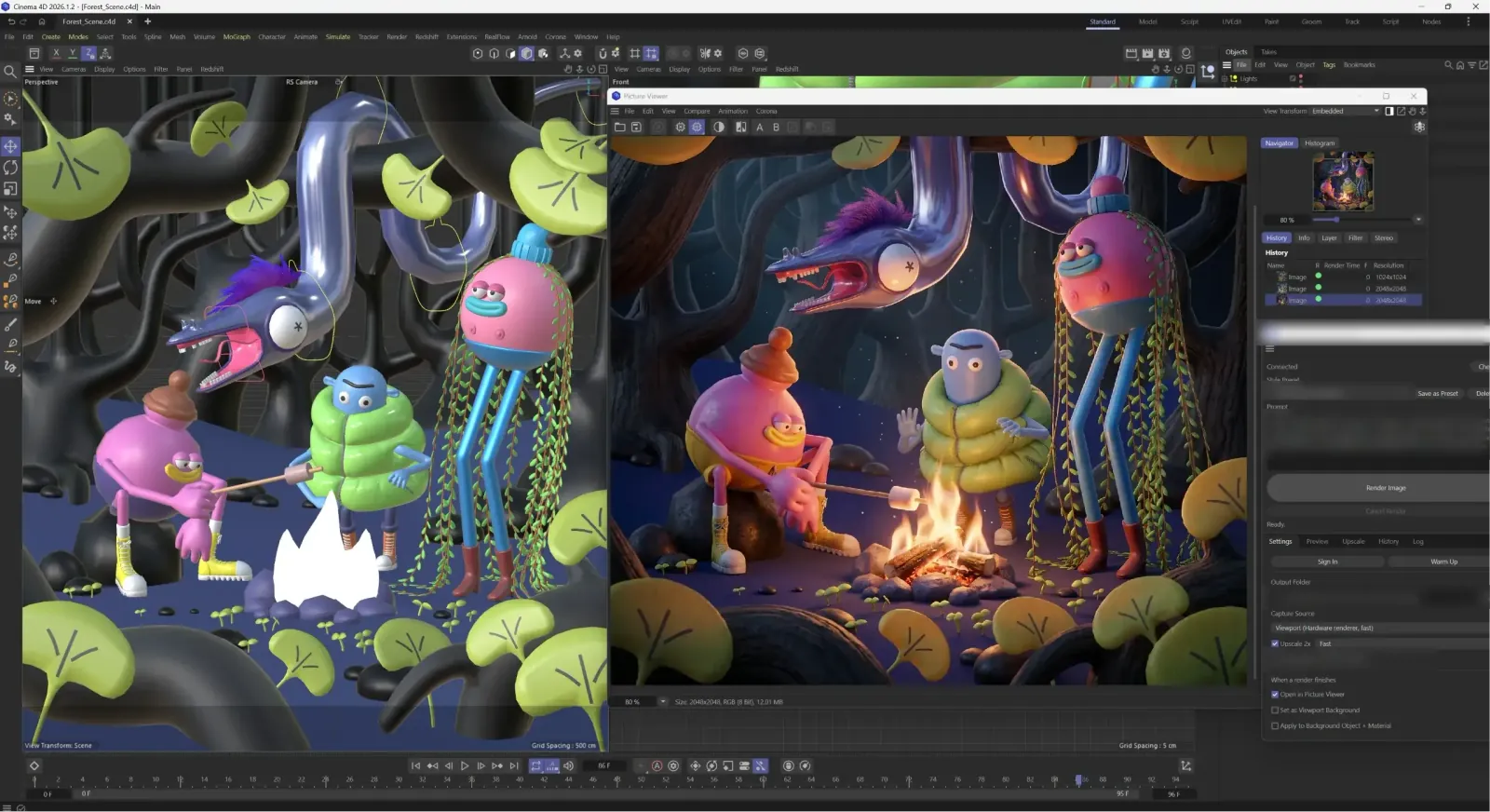
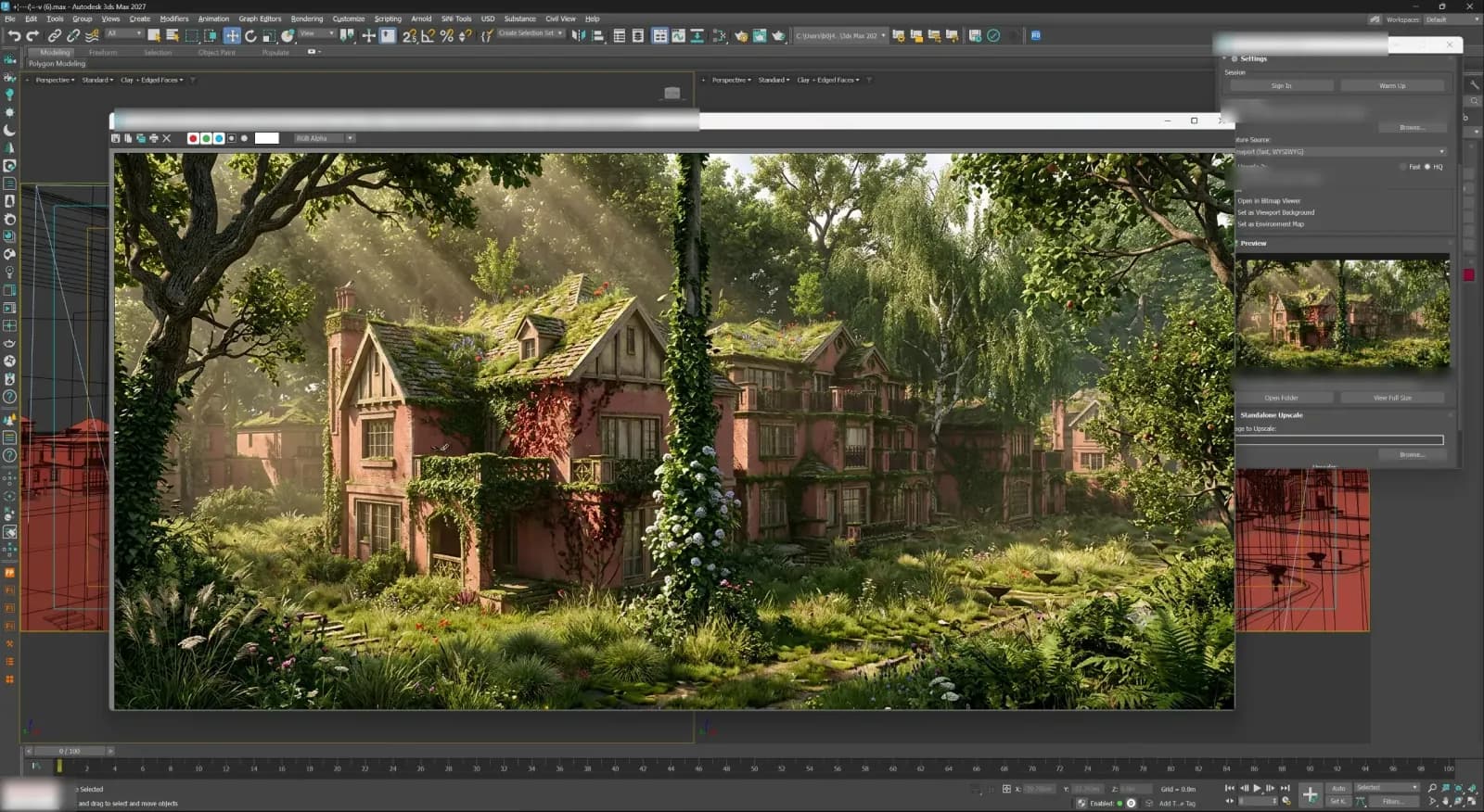
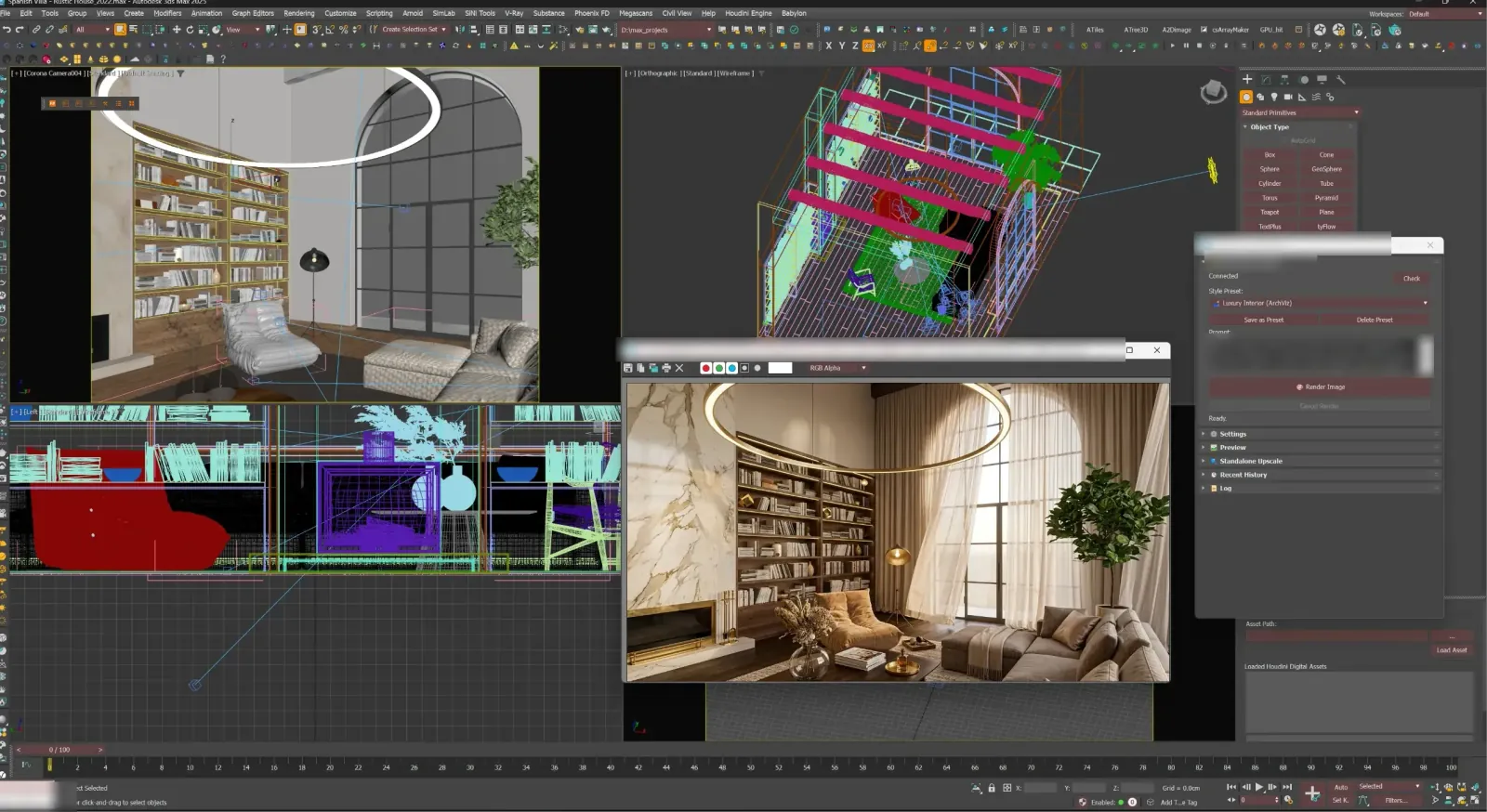
Cinema 4D: the working viewport on the left, the AI render of the same view on the right
Problem
A designer in SketchUp, Revit or Blender who wants an AI render of the view in front of them leaves the tool to get it: export the view, upload it, wait, download the result, and bring it back into the scene by hand. Every round trip breaks the thread of the work, and every tool does it differently.
Approach
One local engine and a thin connector per host app. The connector captures the camera or the current viewport, hands it to the engine running on the same machine, and places the rendered and upscaled result back where it came from — a layer in Photoshop, an image beside the scene in Blender or Cinema 4D.
The engine is packaged to install without a toolchain. Each installer carries its own runtime and upscaler models, picks the right build for Apple Silicon or Intel on a Mac, adds a tray or menu-bar monitor with start, stop and diagnose, and uninstalls without touching the renders already made.
Result
In development: installers for Windows and for macOS on both Mac architectures, working connectors for Photoshop, Blender, Cinema 4D, 3ds Max, Houdini and SketchUp, and Rhino and Revit in preview. It is a Nodevex product, not yet released.
Stack
The engine is a local Node.js service; the connectors are written in each host's own extension system — Photoshop's UXP, Python for Blender and Cinema 4D — and ship as installable plug-ins for Windows and macOS.